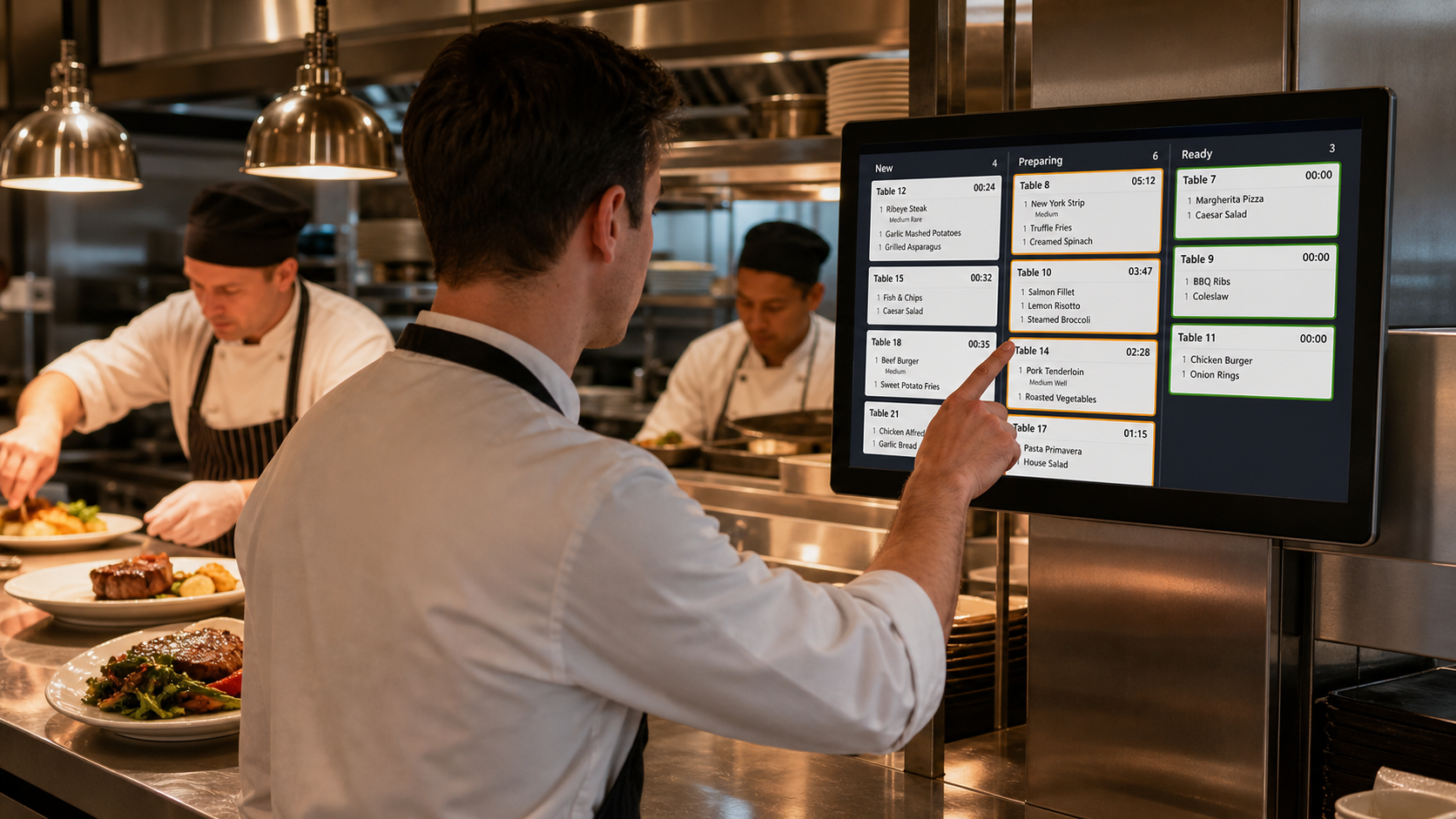
For many years, kitchen printers have been the standard solution for restaurants to receive orders from the POS system. While they are simple and familiar, paper tickets also bring several operational challenges, especially as restaurants become busier and customer expectations continue to rise.
Today, more restaurants are replacing traditional kitchen printers with Kitchen Display Systems (KDS) to improve efficiency, reduce errors, and create a more organized kitchen workflow.
Paper tickets may seem convenient, but they can easily become difficult to manage during busy service hours.
Kitchen staff often face issues such as:
When dozens of orders arrive within a short period, paper tickets can quickly pile up, making it harder for chefs to prioritize tasks and maintain an efficient workflow.
A Kitchen Display System replaces paper tickets with digital order screens installed in the kitchen. Orders are displayed instantly after being placed, allowing kitchen staff to see all incoming items in real time.
Unlike printed tickets, digital orders can be sorted by preparation time, order type, or priority. Completed orders can be marked with a simple touch, helping the entire kitchen stay organized during peak hours.
The result is a faster, cleaner, and more efficient kitchen operation.
With a KDS, there is no risk of losing paper tickets or printing unreadable receipts. Orders remain visible until they are completed, reducing communication errors between the front counter and the kitchen.
Many restaurants also use color indicators and timers to monitor preparation times, helping staff identify delayed orders before they affect customer satisfaction.
For restaurants handling delivery, takeaway, and dine-in orders simultaneously, this level of visibility can significantly improve operational efficiency.
Although a KDS requires an initial hardware investment, it can reduce long-term operating costs by eliminating thermal paper consumption, minimizing printer maintenance, and reducing equipment failures.
Without printers, restaurants also benefit from a quieter and cleaner kitchen environment with fewer consumables to manage.
A commercial Kitchen Display System should be designed for continuous daily operation. Important features include a fanless design for better dust resistance, industrial-grade components for long-term reliability, responsive touch operation, and a clear display that remains easy to read in busy kitchen environments.
Reliable hardware helps restaurants maintain stable performance while reducing maintenance and downtime.
As restaurants continue to embrace digital operations, Kitchen Display Systems are becoming the preferred replacement for traditional kitchen printers. By improving order visibility, reducing errors, lowering operating costs, and helping kitchens work more efficiently, KDS has become an essential part of modern restaurant management.
For restaurant owners, POS software providers, and system integrators, investing in a reliable KDS solution is not simply replacing a printer—it is upgrading the entire kitchen workflow.


